


01
Peptide Skin-Perfecting Foundation
Explore foundation shades by undertone and depth, then compare the product’s finish and application directions. Colour can look different across screens and lighting, so...
Explore the collectionEveryday rituals, thoughtfully chosen
Explore complexion and colour by shade, undertone and finish. Find foundation, correcting concealer, CC sticks, matte lipsticks and mascara, with makeup removers for the end of your routine.
Explore the collection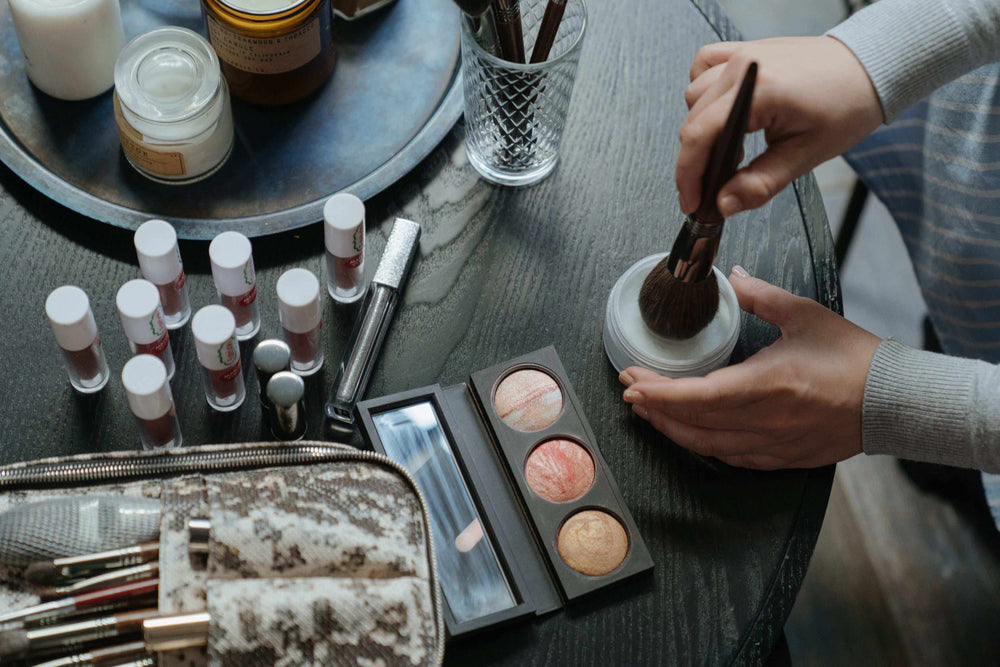
Build your makeup look around the coverage, colour and finish you enjoy. Discover peptide foundation, correcting concealer, tinted CC sticks, matte lipsticks and mascara, with makeup removers for the end of the day.
Peptide Skin-Perfecting Foundation offers a semi-matte finish. Choose by depth and undertone, with warm, cool and neutral options across the range. Hydrating Correcting Concealer offers a separate step for targeted coverage, while Ceramide CC sticks provide another tone-correcting format. Use the shade images alongside the names when narrowing your choice.
Nourishing Matte Lipstick is listed in Dusty Rose and Terracotta Nude, giving you two different colour directions to explore. Infinite Lash Mascara adds a lash product to the selection. Choose the colour products you want to wear, rather than treating a full makeup routine as a requirement.
Peptide Skin-Perfecting Foundation contains beeswax. For vegan preferences, compare the ingredients of your chosen formula. To remove your makeup, explore BiPhasic Make-up Remover, Micellar Cleansing Water or Oil-To-Milk Cleanser. These offer different cleansing textures alongside the colour products.
Compare foundation shades · Compare concealers in the product list · Find a makeup remover
Find your texture
Compare related categories, then check each product’s intended use, formula and directions.
01
Explore foundation shades by undertone and depth, then compare the product’s finish and application directions. Colour can look different across screens and lighting, so...
Explore the collection02
Compare concealer shades, undertones and the finish described on each individual product page. Use the product images and application guidance to narrow your choice....
Explore the collection03
Compare the sun-protection products in this collection using the SPF and directions stated for each individual formula. Check tint, application format and fragrance information...
Explore the collectionExplore complexion and colour products by shade, undertone and the finish you prefer. Compare the individual formula, size and application guidance before choosing. A shade name alone does not determine a match; use the product’s own colour images and descriptions to guide your selection.
Use the individual product’s shade images, undertone information and description. Screen colour and lighting can affect how a shade appears.
Do not assume it provides sun protection. Check whether the individual product has a stated SPF and follow its directions; use a separate sunscreen when needed.
Open the individual product page and ingredient list. Formula and certification information can vary between products.
Open the individual product page for the ingredient list, size, formula information and directions. Ask BelleVie if a detail you need is not available.
Answer a few questions in our Product Finder to discover products for your preferences and care routine.
Start Product Finder ↗